
Copying a post ID in WordPress means opening the editor, looking at the URL, and picking the number out of ?post=. It works. It’s also mildly annoying every single time you do it.
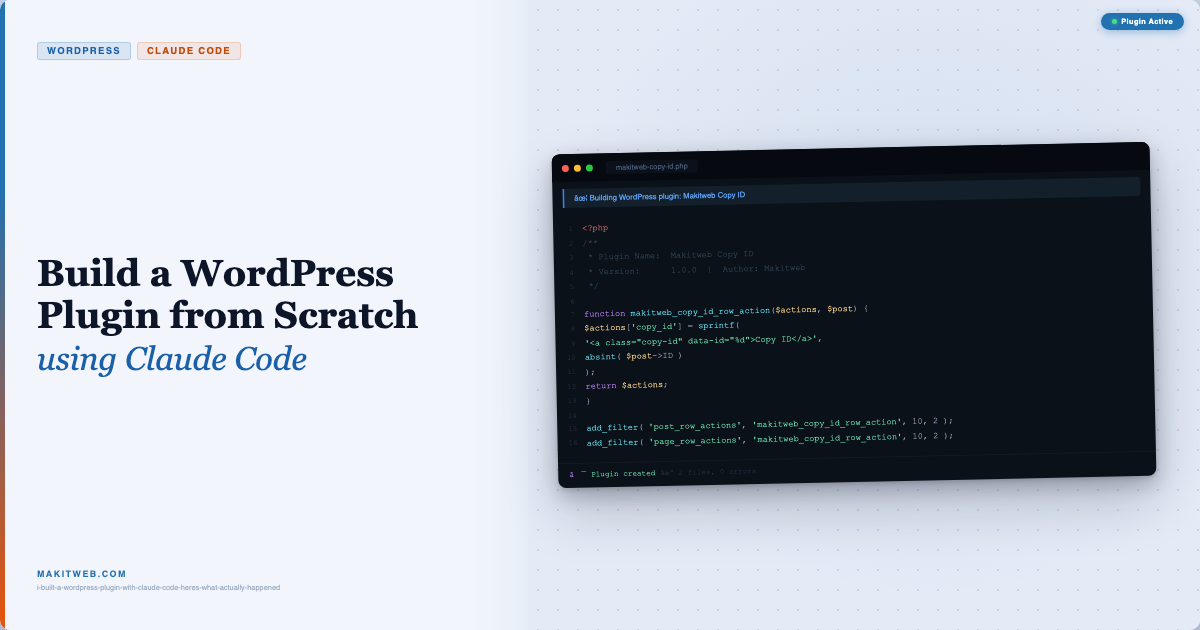
So I built a plugin that puts a Copy ID button directly in the Posts and Pages list. One click — ID is in your clipboard. And I built the whole thing using Claude Code, start to finish.
Here’s exactly how it went, including the prompts I used.
Why Claude Code?
I’ve used AI tools for coding before. Usually that means copy-pasting code into a chat window and tweaking what comes back. Claude Code is different — it runs inside your project, reads your files, and follows context across the whole session. For a self-contained WordPress plugin, it felt like the right tool to test properly.
The question I wanted to answer: can I describe what I want, hand it over, and trust the output enough to ship it?
The Prompts I Used
I kept both prompts short. No detailed spec, no step-by-step instructions — just a plain description of what I wanted the plugin to do from the user’s perspective.
Prompt 1 — Plugin structure
Prompt
create a basic wordpress plugin called Makitweb Copy ID. For now, just create the plugin structure and main PHP file. Don’t add any functionality yet.
Short and intentional. I wanted to see how it handled the structure before throwing the real work at it. No point debugging functionality if the foundation is wrong.
Prompt 2 — Full functionality
Prompt
Now implement the functionality for the Makitweb Copy ID plugin.
The plugin should add a “Copy ID” action for posts and pages in the WordPress admin list.
Requirements:
1. Add a “Copy ID” action for each post in the Posts list.
2. Add the same “Copy ID” action for each page in the Pages list.
3. Clicking the action should copy the corresponding post or page ID to the clipboard.
4. After copying, show a small confirmation message such as “ID copied”.
5. The user should not need to open the post or page editor to copy the ID.
6. Use appropriate WordPress hooks and APIs.
7. Follow WordPress coding and security best practices.
8. Keep the plugin lightweight and simple.
9. Do not modify any WordPress core files.
10. Do not add unnecessary dependencies.After implementing the functionality:
– Show me which files were created or changed.
– Briefly explain how the implementation works.
– Check the code for obvious errors.
– Tell me how I can test the plugin in WordPress.
💡 Why write it this way: The second prompt is longer on purpose. A numbered requirements list removes ambiguity — Claude Code knows exactly what “done” looks like. The instructions at the end (“show me which files were created, explain how it works, check for errors, tell me how to test”) act as a built-in code review step. You get the code and the explanation in one go.
What Claude Code Generated
Step 1 — Plugin Structure
The first prompt produced a single PHP file with the standard WordPress plugin header, an ABSPATH security check, and three constants for version, plugin directory, and plugin URL. Clean and correct from the start.
<?php

/**
* Plugin Name: Makitweb Copy ID
* Version: 1.0.0
* Author: Makitweb
* License: GPL v2 or later
*/if ( ! defined( 'ABSPATH' ) ) {
exit;
}

define( 'MAKITWEB_COPY_ID_VERSION', '1.0.0' );
define( 'MAKITWEB_COPY_ID_PLUGIN_URL', plugin_dir_url( __FILE__ ) );
Step 2 — The Functionality
The second prompt produced two things: a PHP function hooked into WordPress’s row action filters, and a small JavaScript file for the clipboard logic.
The PHP side uses the post_row_actions and page_row_actions filters to inject a link into every row on the admin list screen. The post ID is embedded as a data-id attribute — no AJAX call needed because nothing goes to the server.
function makitweb_copy_id_row_action( $actions, $post ) {
     $actions['copy_id'] = sprintf(
          '<a href="#" class="makitweb-copy-id" data-id="%d">%s</a>',
          absint( $post->ID ),
          esc_html__( 'Copy ID', 'makitweb-copy-id' )
     );
     return $actions;
}
add_filter( 'post_row_actions', 'makitweb_copy_id_row_action', 10, 2 );
add_filter( 'page_row_actions', 'makitweb_copy_id_row_action', 10, 2 );
The JavaScript uses navigator.clipboard.writeText() with a fallback for older browsers, and a delegated event listener on document so it works even after WordPress re-renders rows during bulk actions.
Reviewing the Code
I always read generated code before calling it done. A few things stood out:
Security basics were handled correctly. The ID goes through absint(), output is wrapped in esc_attr() and esc_html() in the right places, and the script only loads on edit.php — not every admin page.
The JavaScript fallback was there without being asked. Older browsers that don’t support the Clipboard API get a textarea + execCommand('copy') path instead. Small thing, but it shows the tool is thinking about edge cases.
Delegated event listener. Rather than binding directly to each row link, it listens at the document level. This matters because WordPress admin tables re-render rows after bulk actions — direct bindings would silently break. This one I didn’t ask for either.
Bottom line: The code wasn’t just functional — it was correct in the ways that matter for a real WordPress plugin. I made no changes before shipping it.
Testing It in WordPress
Activated the plugin, went to Posts, hovered over a row. Copy ID appeared right there alongside Edit, Quick Edit, and Trash. Clicked it, pasted into a notes file — correct ID, instantly. Same result on Pages.
I half expected to spend twenty minutes debugging something. That didn’t happen.
Watch the Full Walkthrough
If you’d rather watch than read, here’s the full video where I build and test the plugin live:
What I’d Actually Use This For
If you work on WordPress sites at any scale, you look up post IDs constantly — for ACF relationships, WPML, custom queries, shortcodes that take an ID parameter, debugging template logic. The list goes on.
This plugin doesn’t solve a complicated problem. It solves an annoying one. Those are sometimes more worth solving.
My Honest Take on Claude Code for WordPress Development
It’s genuinely useful for scoped, practical work like this. It knows WordPress hooks and functions. It follows security conventions. And it doesn’t just give you code that works — it usually gives you code that works correctly, which are two different things.
That said, you still have to read what it produces. I wouldn’t ship anything without reviewing it first. But reviewing is a lot faster than writing from scratch, and when the starting point is already solid, the review goes quickly.
For WordPress developers who want to build small utilities without setting up a boilerplate project from scratch, it’s a genuinely good workflow.
📦 Plugin Source Code
The full plugin code is available on GitHub if you want to use it or build on it:
If you find this useful, subscribe for more practical WordPress, PHP, and developer-focused tutorials.